Depending on when your optimization was initiated and the banks involved, Max may be able to help you cancel your transfers. If you need to access funds during an optimization, please contact our support team at urgent@maxmyinterest.com.
Managing an upcoming Optimization:
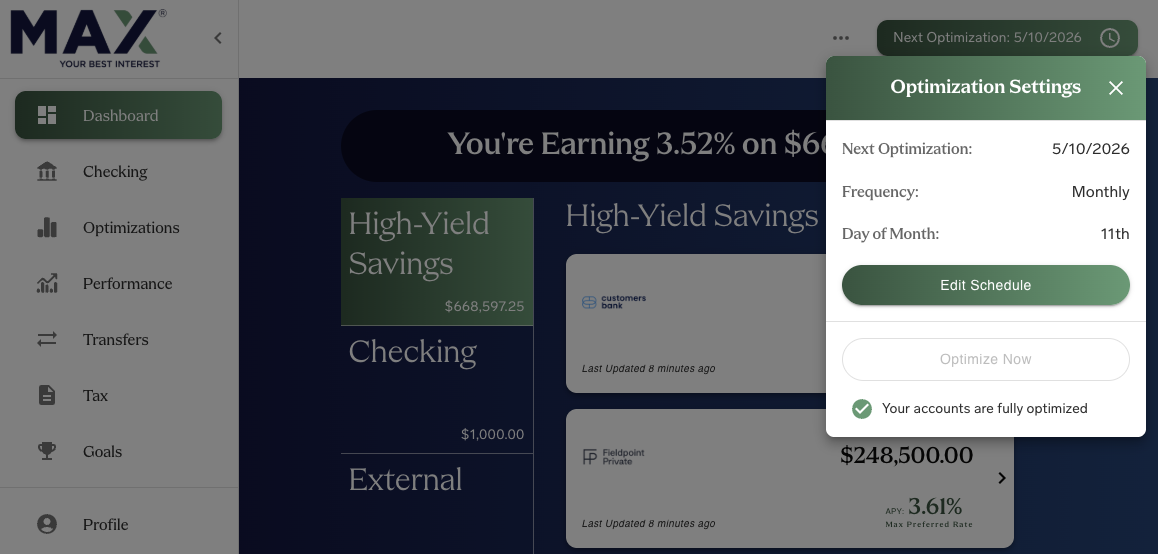
If you need to schedule a withdrawal and you have an upcoming optimization, you can pause your upcoming transfers through your settings. Click the "Next Optimization" button at the top of your Dashboard, then click "Edit Schedule" to pause your optimization or change the optimization date.
Was this article helpful?
That’s Great!
Thank you for your feedback
Sorry! We couldn't be helpful
Thank you for your feedback
Feedback sent
We appreciate your effort and will try to fix the article