To request deposits and withdrawals to an external account, you can link your existing bank accounts via Plaid.
How to link an external account:
- Log in to the Max Dashboard.
- Navigate to the "External" account section and click "Link New Account"
- Use Option 2 to “Link Funding Institution.”
- Follow the prompts to link your account via Plaid.
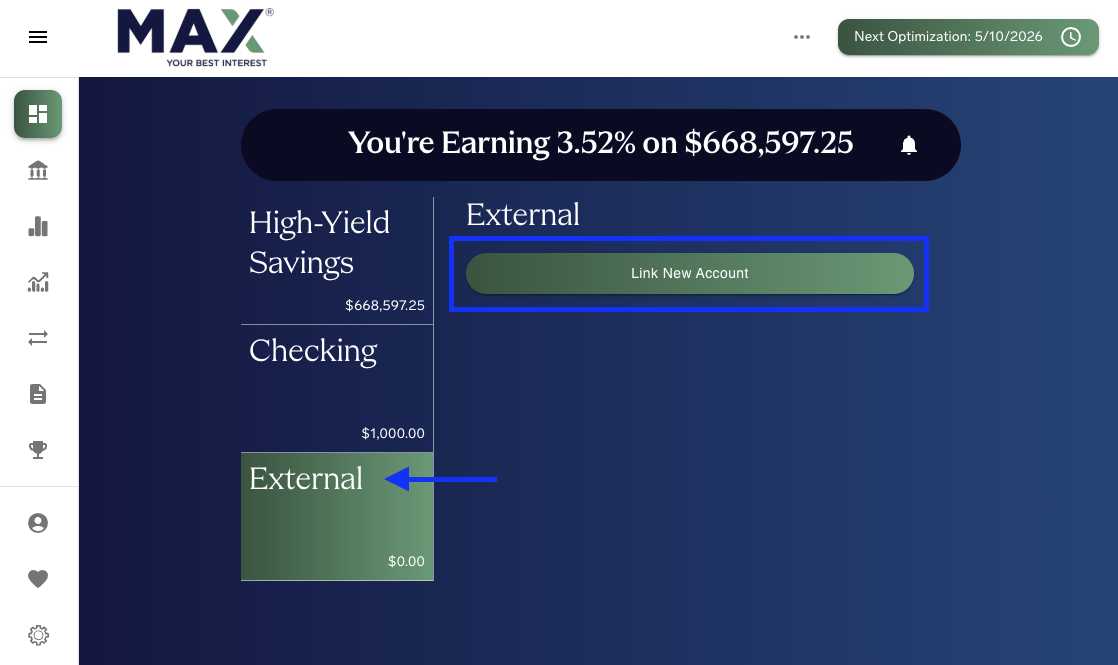
If your account cannot be linked via Plaid, you may need to connect your accounts manually instead. For detailed instructions, please refer to our guide: What if I can’t link my account via Plaid?
Was this article helpful?
That’s Great!
Thank you for your feedback
Sorry! We couldn't be helpful
Thank you for your feedback
Feedback sent
We appreciate your effort and will try to fix the article